What is Azure Virtual Machine (VM)? Easy & Complete Beginner Guide with Real DevOps Use Cases (2026)
Cloud computing is now the backbone of modern DevOps practices. Most real-world applications are no longer hosted only on physical servers in data centers. Instead, they run on cloud platforms that provide on-demand computing power, storage, and networking. Microsoft Azure is one of the top cloud providers used widely in enterprises across the world. At the core of Azure’s compute offerings are Azure Virtual Machines (VMs).
What is Azure VM? In simple terms, an Azure VM is a virtual server running on Microsoft Azure cloud. When beginners ask what is Azure VM, they are essentially asking how to create and use a computer in the cloud to run applications, DevOps tools, CI/CD pipelines, and backend services without managing physical servers.
If you are learning DevOps in 2026, understanding what Azure Virtual Machines are, how they work, and how DevOps engineers use them in real projects is essential. This guide is written for beginners, but it also covers practical DevOps use cases that you will see in real jobs and interviews.
In this complete beginner guide, you will learn:
- What Azure Virtual Machine (VM) is in simple terms
- How Azure VMs work behind the scenes
- Key components of Azure Virtual Machines
- Common Azure VM use cases in DevOps
- How Azure VMs fit into CI/CD pipelines
- Azure VM scaling concepts
- Security best practices for Azure VMs
- Cost optimization tips for Azure VMs
- Azure VM vs containers vs managed compute
- A learning path for beginners
- Common mistakes to avoid
Let’s break it down step by step.

1?? What is Azure VM? (Simple Explanation for Beginners)
An Azure Virtual Machine (VM) is a virtual server that runs inside Microsoft Azure’s cloud infrastructure. Instead of purchasing physical hardware and maintaining on-premise servers, you can create and run virtual servers on Azure within minutes. These virtual machines behave like real computers where you can install operating systems, software, and applications.
In simple words:
Azure Virtual Machine = A computer in the cloud that you control.
With Azure VMs, you can run both Linux and Windows operating systems. You can install web servers, databases, DevOps tools like Jenkins, monitoring agents, and application runtimes. For DevOps engineers, Azure Virtual Machines are commonly used to host build servers, CI/CD agents, application servers, and testing environments.
2?? Why Azure Virtual Machines Are Important for DevOps
Azure Virtual Machines play a critical role in DevOps because they provide flexible and customizable compute resources. DevOps teams need environments where they can build, test, deploy, and run applications. Azure VMs support all these stages of the software delivery lifecycle.
Key reasons why Azure Virtual Machines matter for DevOps:
- Full control over the operating system and environment
- Ability to install any required software stack
- Easy integration with CI/CD pipelines
- Support for automation and Infrastructure as Code
- Scalability to handle changing workloads
- Strong enterprise adoption of Azure
For beginners, learning Azure VMs builds a strong foundation for understanding cloud infrastructure used in real DevOps teams.
3?? How Azure Virtual Machines Work (Behind the Scenes)
When you create an Azure VM, Azure allocates computing resources from its global data centers. Under the hood, Azure uses virtualization technology to run multiple virtual machines on powerful physical servers. Each virtual machine runs in an isolated environment with its own operating system, CPU, memory, storage, and networking.
From a user’s perspective, the VM behaves like a dedicated server. Azure manages the physical hardware, power, cooling, and networking infrastructure. This abstraction allows DevOps engineers to focus on application delivery rather than hardware management.
Behind the scenes, creating an Azure VM involves:
- Selecting an operating system image
- Choosing a VM size (CPU and RAM)
- Configuring virtual networking
- Attaching storage disks
- Defining security rules and access controls
4?? Core Components of Azure Virtual Machines
Understanding the building blocks of Azure Virtual Machines helps you design better cloud architectures.
? Virtual Machine Image
An image defines the base operating system and configuration of the VM. Azure provides ready-made images for Ubuntu, Red Hat, Windows Server, and other operating systems. Custom images can be created for standardized environments.
? VM Size (Compute)
VM sizes determine the CPU, memory, and performance characteristics. Choosing the right size is important to balance performance and cost.
? Virtual Network (VNet) and Subnets
Azure VMs are placed inside virtual networks. VNets control how VMs communicate with each other and with external systems. Subnets help organize network segments.
? Storage Disks
Azure VMs use managed disks for operating system and data storage. These disks provide durability and scalability.
? Network Interfaces and Security Groups
Network interfaces connect VMs to networks, and security groups define inbound and outbound traffic rules.
? What is Azure VM in Real DevOps Architectures?
To understand what is Azure VM in real DevOps environments, it’s important to look beyond simple virtual servers and see how Azure Virtual Machines fit into modern application architectures. In most real-world systems, Azure VMs are not used in isolation. Instead, they are part of a broader architecture that includes load balancers, databases, monitoring systems, and CI/CD pipelines.
When teams ask what is Azure VM used for in production, the answer often includes hosting backend services, running self-hosted CI/CD runners, executing batch processing jobs, and supporting legacy applications that cannot easily be containerized. Azure VMs provide the flexibility to customize the operating system and runtime environment, which is critical for complex enterprise workloads.
In DevOps-driven organizations, Azure VMs are provisioned through automation rather than manually. This ensures that environments remain consistent across development, testing, staging, and production. Understanding what is Azure VM in this architectural context helps beginners see how cloud compute supports scalable, reliable systems.
? What is Azure VM Networking in Practice?
A common follow-up question after learning what is Azure VM is how networking works in real deployments. Azure Virtual Machines operate within Azure Virtual Networks (VNets), which act as private networks in the cloud. VNets allow multiple Azure VMs to communicate securely with each other and with other Azure services.
In practical DevOps setups, Azure VMs are placed into different subnets based on their roles. For example, web servers might be placed in a public subnet, while databases are placed in a private subnet with no direct internet access. Network Security Groups (NSGs) are used to define firewall rules that allow or block traffic. When teams understand what is Azure VM from a networking perspective, they can design architectures that balance accessibility and security.
Production-grade deployments often avoid exposing Azure VMs directly to the internet. Instead, traffic flows through load balancers or application gateways. This pattern improves security and scalability and reflects how what is Azure VM is applied in enterprise DevOps architectures.
? What is Azure VM Storage and Data Management?
Another important aspect of what is Azure VM is how storage is managed. Each Azure Virtual Machine includes an operating system disk and can attach additional data disks. These disks are managed by Azure, which handles replication and durability.
In DevOps workflows, Azure VMs often store application logs, temporary files, and persistent data. Understanding what is Azure VM storage also includes learning how to create snapshots and backups. Snapshots capture the state of disks at a specific point in time, while backup policies provide automated protection against data loss.
For production systems, data management strategies are essential. DevOps teams design backup and recovery workflows so that applications running on Azure VMs can be restored quickly after failures. Seeing what is Azure VM through the lens of data protection highlights the operational responsibilities associated with cloud infrastructure.
? What is Azure VM High Availability and Reliability?
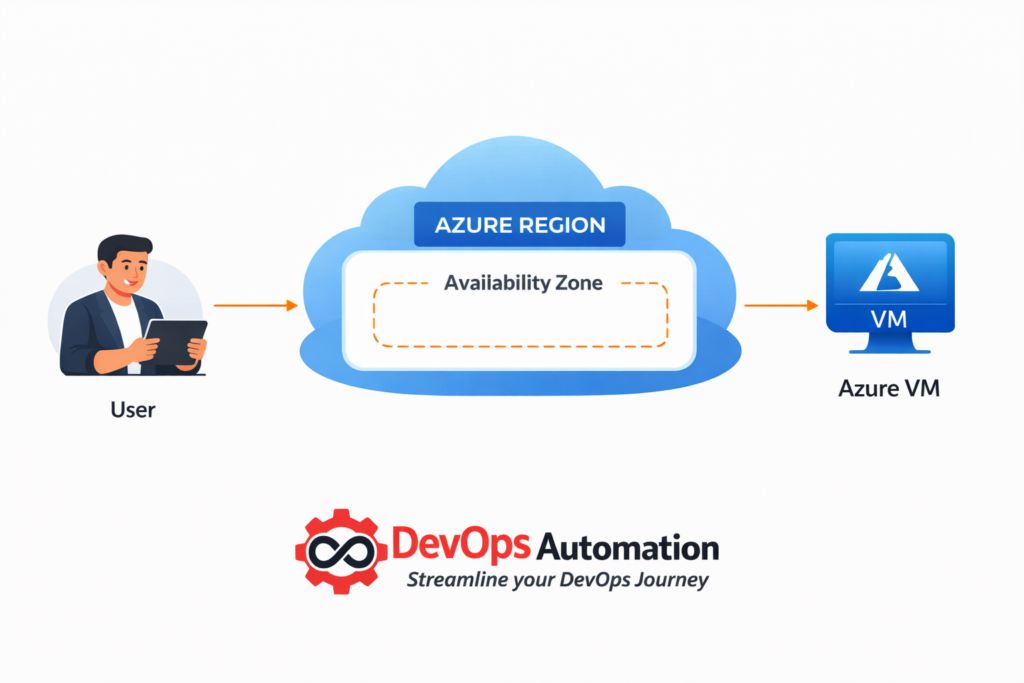
High availability is a core requirement for modern applications. When beginners explore what is Azure VM in production environments, they must also understand how Azure supports reliability and fault tolerance. Azure provides mechanisms such as availability sets and availability zones to distribute VMs across different physical infrastructure.
In DevOps architectures, multiple Azure VMs are deployed behind load balancers to ensure continuous service availability. If one VM fails, traffic is automatically routed to healthy instances. This design pattern demonstrates what is Azure VM in the context of resilient systems that can handle failures gracefully.
Reliability also includes monitoring and automated recovery. DevOps teams configure health checks and alerts to detect issues early. Understanding what is Azure VM in highly available architectures prepares beginners for designing systems that meet real-world uptime requirements.
? What is Azure VM in CI/CD Pipelines?
CI/CD pipelines are central to DevOps practices. A practical understanding of what is Azure VM includes knowing how Azure Virtual Machines function as build agents and deployment targets in CI/CD workflows. Many teams use Azure VMs to run build jobs, execute automated tests, and deploy applications.
In real-world pipelines, Azure VMs can be provisioned dynamically to handle peak workloads and then decommissioned when not needed. This elastic usage model highlights what is Azure VM as a flexible compute resource that adapts to changing pipeline demands. Beginners who understand this use case gain insight into how cloud infrastructure supports continuous delivery.
? What is Azure VM Cost Management in DevOps?
Cost management is an often-overlooked aspect of what is Azure VM. Running virtual machines continuously can be expensive if resources are not properly managed. DevOps engineers are responsible for optimizing VM usage to balance performance and cost.
Cost optimization strategies include right-sizing VMs, scheduling non-production VMs to shut down outside working hours, and monitoring resource utilization. Understanding what is Azure VM from a cost perspective teaches beginners that cloud infrastructure is not just about technology, but also about financial responsibility.
? What is Azure VM Security in Production?
Security is a shared responsibility in the cloud. When teams ask what is Azure VM in secure production environments, the answer includes configuring secure access, applying patches, and monitoring for threats. Azure VMs must be hardened to reduce the attack surface and protect sensitive data.
DevOps teams follow security best practices such as using key-based authentication, limiting network exposure, and enforcing least-privilege access. Viewing what is Azure VM through a security lens helps beginners appreciate the operational discipline required to run production systems safely.
?What is Azure VM in Hybrid and Multi-Cloud Environments?
Many organizations operate in hybrid and multi-cloud environments. Understanding what is Azure VM in these contexts means recognizing how Azure Virtual Machines integrate with on-premise systems and other cloud platforms. Secure connectivity allows applications to communicate across environments.
DevOps engineers often design architectures where Azure VMs host enterprise workloads while other cloud platforms provide complementary services. Understanding what is Azure VM in hybrid and multi-cloud scenarios prepares beginners for the complexity of real-world infrastructure.
5?? Real DevOps Use Cases of Azure Virtual Machines
Azure Virtual Machines are widely used in real DevOps workflows.
? Hosting CI/CD Tools
Many teams run Jenkins, GitLab Runner, or self-hosted CI agents on Azure VMs to execute build pipelines and automated tests.
? Running Self-Hosted Runners
Azure VMs are used as self-hosted runners for GitHub Actions and GitLab CI for better performance and security.
? Application Hosting
Azure VMs host APIs, microservices, backend services, and legacy applications in enterprise environments.
