
What is GCP Compute Engine? Easy & Complete Beginner Guide with Real DevOps Use Cases (2026)
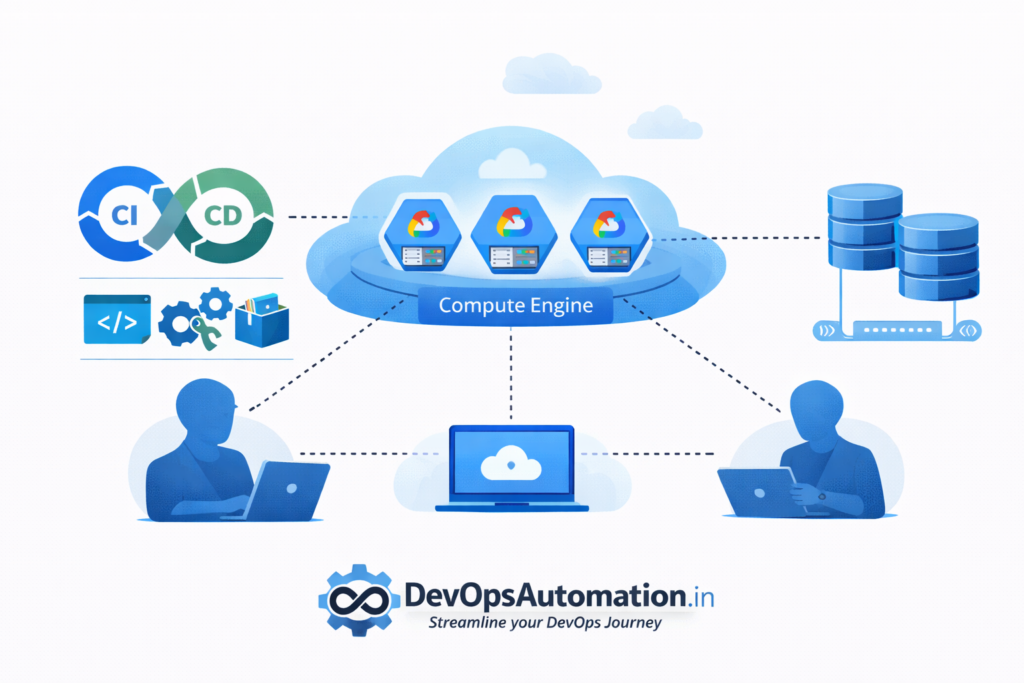
Cloud computing is now a core skill for DevOps engineers. While AWS and Azure are commonly discussed, Google Cloud Platform (GCP) is widely used for cloud-native workloads, Kubernetes platforms, and data-intensive systems. At the heart of GCP’s compute services is Compute Engine, which provides virtual machines on Google’s global cloud infrastructure.
If you are learning DevOps in 2026, understanding what is GCP Compute Engine, how it works, and how DevOps teams use it in real-world projects will help you build strong multi-cloud skills. This guide explains Compute Engine in simple language and then goes deeper into practical DevOps use cases, security, scaling, and automation.

? What is GCP Compute Engine in Simple Terms
If you are completely new to cloud computing, you might still be confused about what is GCP Compute Engine and how it differs from traditional servers.
In simple words, GCP Compute Engine allows you to rent virtual computers from Google’s global data centers. Instead of buying physical servers, installing them in your office, and maintaining hardware, you create virtual machines in Google Cloud within minutes. These virtual machines work exactly like normal servers where you can install Linux or Windows, deploy applications, run databases, and host websites.
When beginners ask “what is GCP Compute Engine used for?”, the simple answer is:
- Hosting applications
- Running DevOps tools
- Performing automated builds
- Creating testing environments
- Running backend services
For DevOps engineers, what is GCP Compute Engine is not just a definition—it is a core building block of real-world cloud infrastructure.
?Why GCP Compute Engine Is Important for DevOps
Understanding what is GCP Compute Engine is important because virtual machines are still a foundational building block in cloud infrastructure. Even with containers and serverless platforms, many real-world systems rely on VMs for stability and flexibility.
Key reasons Compute Engine matters for DevOps:
- Full control over the operating system and runtime
- Ability to run custom and legacy applications
- Strong integration with cloud-native tools
- High-performance global networking
- Support for automation and Infrastructure as Code
- Widely used in Kubernetes-centric environments
Learning Compute Engine helps DevOps engineers work in GCP-based organizations and design scalable cloud architectures.
?? How DevOps Engineers Actually Use GCP Compute Engine in Real Projects
Understanding what is GCP Compute Engine becomes clearer when you see how DevOps engineers use it in daily work.
? Example 1: Hosting Jenkins on GCP Compute Engine
Many teams run Jenkins on Compute Engine instead of managed services. This gives full control over plugins, security configuration, and networking. A DevOps engineer creates a VM, installs Jenkins, and connects it to GitHub or GitLab for CI/CD pipelines.
? Example 2: Running Self-Hosted CI/CD Runners
Modern DevOps pipelines use self-hosted runners for GitHub Actions, GitLab Runners, or Bitbucket Pipelines. Compute Engine is often used to host these runners. New VMs can be created automatically when workloads increase.
? Example 3: Blue-Green Deployment Environments
Using Compute Engine, teams can create two sets of VMs: one serving live traffic and another for testing new releases. Once validated, traffic is switched using a load balancer. This approach reduces downtime and deployment risks.
? Example 4: Infrastructure as Code Environments
DevOps engineers combine what is GCP Compute Engine with Terraform to automatically create VMs for staging, QA, and production environments. This improves consistency and reduces manual errors.
? GCP Compute Engine Architecture Explained Simply
When learning what is GCP Compute Engine, it helps to visualize how components work together:
- VM Instance – Your virtual server
- VPC Network – Virtual private network for communication
- Firewall Rules – Control inbound/outbound traffic
- Persistent Disks – Storage attached to VMs
- Load Balancer – Distributes traffic across instances
- Service Account – Secure access to other GCP services
This architecture allows DevOps teams to design scalable and secure cloud systems.
? Automating GCP Compute Engine with DevOps Tools
DevOps is all about automation. Understanding what is GCP Compute Engine also means learning how to automate it.
? Terraform with GCP Compute Engine
Terraform is widely used to define VM configurations as code. Instead of clicking in the console, DevOps engineers use Terraform scripts to create multiple VMs with consistent settings.
? Ansible for Configuration Management
Once a VM is created, Ansible installs packages, configures users, and deploys applications automatically.
? CI/CD Pipelines Triggering VM Creation
CI/CD pipelines can dynamically create Compute Engine instances for testing, run tests, and destroy them afterward to save costs.
?? How GCP Compute Engine Works (Behind the Scenes)
When you create a Compute Engine VM, Google provisions compute resources from its global infrastructure. Each VM runs on virtualized hardware with isolated CPU, memory, storage, and networking. Google manages the underlying physical servers, power, cooling, and networking, while you manage the operating system and applications.
Provisioning a VM involves:
- Choosing an operating system image
- Selecting a machine type (CPU and RAM)
- Configuring network settings
- Attaching persistent disks
- Defining firewall rules and access
This abstraction allows DevOps teams to create servers in minutes instead of waiting days or weeks for physical hardware.
? Core Components of GCP Compute Engine
Understanding the building blocks of Compute Engine helps beginners design better architectures.
? Machine Types
Machine types define the CPU and memory resources. You can choose general-purpose, compute-optimized, or memory-optimized machines based on workload needs.
? Images
Images define the operating system and base configuration. GCP provides ready-made images and also allows custom images for standardized environments.
? Networking (VPC)
VMs run inside Virtual Private Cloud (VPC) networks. Firewall rules control inbound and outbound traffic.
? Persistent Disks
Persistent disks store OS and application data. They are durable and scalable.
? Service Accounts
Service accounts define permissions for VMs to securely access other GCP services.
Real DevOps Use Cases of GCP Compute Engine
? Hosting CI/CD Runners
DevOps teams host self-hosted runners for GitHub Actions or GitLab CI on Compute Engine to gain more control over build environments.
? Running Jenkins or Build Servers
Jenkins can run on Compute Engine VMs to manage CI/CD pipelines and automation workflows.
? Application Hosting
Compute Engine hosts backend APIs, microservices, and custom application servers.
? Temporary Test Environments
VMs are created for testing and destroyed after use, reducing cloud costs.
? Monitoring and Observability
Monitoring agents and logging tools run on Compute Engine to collect system metrics and logs.
GCP Compute Engine in CI/CD Pipelines
In DevOps pipelines, Compute Engine VMs often act as build workers or deployment targets. VMs can be provisioned dynamically to handle peak workloads and terminated afterward. This elastic usage model highlights what is GCP Compute Engine as a flexible compute resource that adapts to changing CI/CD demands.
?Scaling with GCP Compute Engine
Compute Engine supports both vertical and horizontal scaling:
- Vertical scaling: Resize machine types to increase CPU/RAM
- Horizontal scaling: Add or remove VM instances
Load balancers distribute traffic across instances to ensure high availability. This design helps DevOps teams handle traffic spikes and maintain performance.
? Security Best Practices for GCP Compute Engine
Security is a major concern in cloud environments. When learning what is GCP Compute Engine, beginners must understand secure configurations.
? Best Practices:
- Use SSH keys instead of passwords
- Restrict public IP usage
- Apply firewall rules carefully
- Use IAM roles for access
- Regularly patch OS
- Enable logging and monitoring
Security misconfigurations are one of the biggest risks when using cloud VMs.
? Cost Optimization Strategies for GCP Compute Engine
Compute Engine is powerful, but costs can increase quickly if unmanaged.
When thinking about what is GCP Compute Engine in real-world usage, DevOps engineers must consider cost:
- Shut down idle VMs
- Use smaller machine types for testing
- Automate cleanup of temporary instances
- Monitor usage with billing dashboards
- Use preemptible VMs for non-critical workloads
Cost optimization is a key DevOps responsibility.