What is Cloud Computing? A Complete Beginner’s Guide for DevOps (2026)
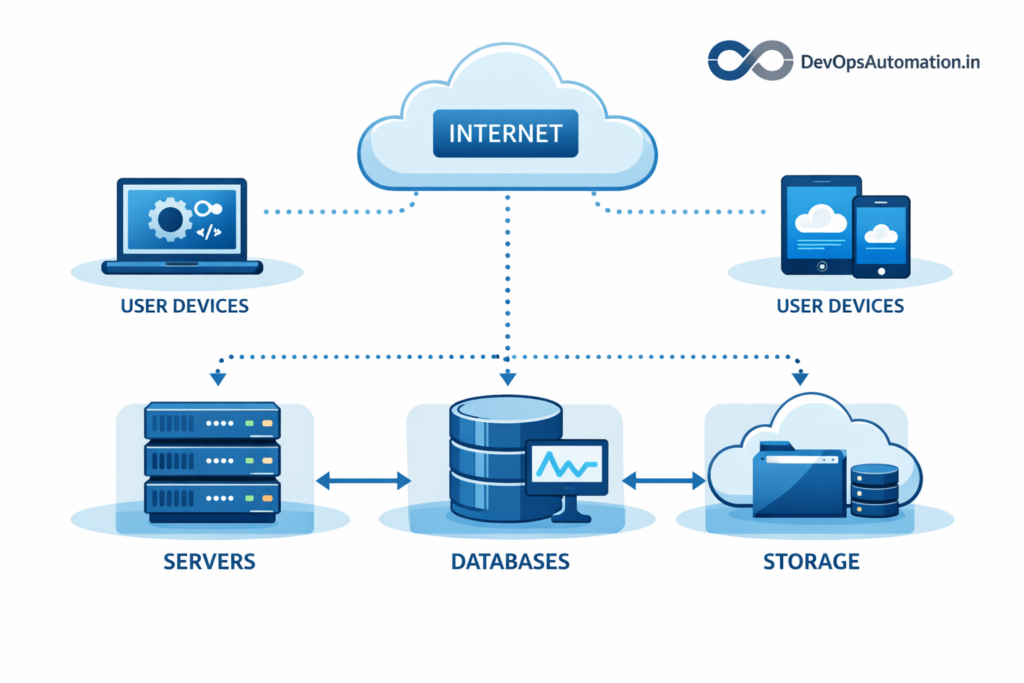
What is cloud computing ? Cloud computing is the backbone of modern DevOps, CI/CD pipelines, and scalable applications. If you’re learning DevOps, understanding what cloud computing is and how it works is no longer optional—it’s essential. Today, most applications run on cloud platforms like AWS, Azure, and Google Cloud instead of traditional on-premise servers.
In this complete beginner’s guide, you’ll learn:
- What cloud computing is (in simple terms)
- Why cloud computing is important for DevOps
- How cloud computing works behind the scenes
- Types of cloud models (Public, Private, Hybrid)
- Cloud service models (IaaS, PaaS, SaaS)
- Real-world cloud examples for DevOps
- Benefits and limitations of cloud computing
- How cloud integrates with CI/CD and Jenkins
- A learning roadmap for beginners

? What is Cloud Computing?
Cloud computing means using computing resources (servers, storage, databases, networking, software) over the internet instead of owning and managing physical hardware. Instead of buying servers and setting them up in your office, you rent computing power from cloud providers and access everything online.
In simple words:
Cloud computing lets you run applications and store data on remote servers that you can access anytime over the internet.
This model allows businesses and developers to focus on building applications rather than managing infrastructure. You pay only for what you use, which makes cloud cost-effective and scalable.
For DevOps engineers, cloud computing enables:
- On-demand infrastructure
- Rapid environment provisioning
- Easy scaling of applications
- Automation of deployments
? Why Cloud Computing is Important for DevOps
DevOps focuses on speed, automation, reliability, and scalability. Cloud computing perfectly complements DevOps practices.
Key reasons cloud is essential for DevOps:
- On-demand environments: Spin up servers in minutes
- Scalability: Scale applications automatically based on traffic
- Automation: Integrate cloud APIs with CI/CD pipelines
- Cost efficiency: Pay only for what you use
- Global availability: Deploy apps closer to users
For example, a Jenkins pipeline can automatically provision cloud servers, deploy applications, and tear down environments after testing. This would be extremely difficult with traditional on-premise infrastructure.
?? How Cloud Computing Works (Behind the Scenes)
To understand what is cloud computing, you need to know how providers deliver virtualized resources over the internet.
Cloud providers operate massive data centers across the world. These data centers host thousands of physical servers that are virtualized and shared securely among customers.
Here’s how it works:
- You request a server or service from the cloud
- The cloud provider allocates virtual resources
- You access the resources over the internet
- You pay based on usage
Virtualization and containerization allow multiple users to share the same physical hardware securely. Cloud platforms also provide APIs and dashboards to manage infrastructure programmatically.

?? Core Components of Cloud Computing (Compute, Storage, Networking)
Cloud computing is built on three core components: compute, storage, and networking.
Compute refers to virtual machines and containers that run your applications. For DevOps engineers, compute resources are used to host CI/CD tools like Jenkins, application servers, and testing environments. Instead of buying physical servers, you can provision compute resources in minutes.
Storage allows you to store application data, logs, backups, and artifacts. Cloud storage is highly durable and scalable, which means you don’t have to worry about disk failures or capacity planning. Object storage services are commonly used to store build artifacts generated by CI/CD pipelines.
Networking connects cloud resources securely. Virtual networks, subnets, firewalls, and load balancers allow applications to communicate safely. Networking is critical for exposing applications to users and integrating services securely.
Understanding these components helps DevOps engineers design reliable and scalable cloud architectures.
?? Types of Cloud Deployment Models
? Public Cloud
Resources are shared among multiple customers and hosted by providers like AWS, Azure, and GCP.
Best for startups, DevOps teams, and scalable web applications.
? Private Cloud
Dedicated cloud infrastructure for a single organization.
Best for enterprises with strict security or compliance requirements.
? Hybrid Cloud
Combination of public and private cloud.
Best for companies migrating gradually to the cloud.

? Cloud Regions, Availability Zones, and High Availability
Cloud providers operate multiple regions across the world. Each region contains multiple availability zones (independent data centers). This design ensures high availability and fault tolerance.
For DevOps teams, deploying applications across multiple availability zones ensures that even if one data center fails, the application remains online. Load balancers distribute traffic across zones, while databases replicate data for reliability.
High availability is a core cloud advantage over traditional on-premise infrastructure. Designing systems with redundancy improves uptime and user experience. Understanding regions and availability zones is essential when deploying production applications.
? Cloud Service Models (IaaS, PaaS, SaaS)
?? IaaS (Infrastructure as a Service)
You manage servers, OS, and applications.
Example: AWS EC2, Azure VM
? PaaS (Platform as a Service)
You manage applications, cloud manages OS and runtime.
Example: Heroku, AWS Elastic Beanstalk
??? SaaS (Software as a Service)
Ready-to-use software over the internet.
Example: Gmail, Google Drive

? Real-World Cloud Examples for DevOps
- Hosting web applications
- Running CI/CD pipelines on cloud servers
- Storing logs and backups
- Auto-scaling microservices
- Disaster recovery setups
For example, a DevOps team may use AWS EC2 to host Jenkins, S3 for storing build artifacts, and CloudWatch for monitoring.
? Benefits of Cloud Computing
Learning what is cloud computing helps DevOps teams design scalable and cost-effective systems.
- ?? Scalability
- ?? High availability
- ?? Global reach
- ?? Reduced infrastructure cost
- ?? Faster deployment cycles
- ?? Automation-friendly
?? Limitations and Challenges of Cloud Computing
- ? Vendor lock-in
- ? Ongoing costs if not monitored
- ? Security misconfigurations
- ? Requires cloud skills
Understanding these challenges helps DevOps teams design better cloud architectures.
? Security in Cloud Computing (Beginner View)
Cloud security follows a shared responsibility model. The provider secures the infrastructure, while you secure your applications, data, and access controls.
Basic practices:
- Use IAM roles
- Enable encryption
- Monitor logs
- Follow least privilege

? Cloud Cost Management and FinOps for DevOps
One common challenge with cloud computing is cost management. Cloud services are pay-as-you-go, which means costs can increase quickly if resources are not monitored. DevOps teams practice FinOps, a discipline that combines finance and operations to manage cloud spending effectively.
Cost management includes:
- Monitoring resource usage
- Removing unused servers
- Using auto-scaling
- Choosing cost-efficient service tiers
Optimizing cloud costs is part of responsible DevOps practice. Understanding what is cloud computing also means understanding how to manage cloud costs sustainably.
? Cloud + CI/CD + Jenkins (DevOps Workflow)
Cloud integrates tightly with CI/CD:
- Jenkins runs on cloud VMs
- Pipelines deploy apps to cloud servers
- Test environments spin up on demand
- Infrastructure is managed as code
This enables true DevOps automation.

? Cloud-Native Architecture for DevOps (Microservices, Containers, and Serverless)
Modern cloud applications are built using cloud-native architecture, which focuses on scalability, resilience, and automation. Instead of building one large monolithic application, teams design systems as microservices—small, independent services that can be deployed and scaled separately. This architecture works perfectly with DevOps practices because each service can have its own CI/CD pipeline, test strategy, and release cycle.
Containers play a key role in cloud-native systems. Containers package an application with all its dependencies, making it portable across environments such as development, testing, and production. When DevOps engineers understand what is cloud computing in the context of containers, they can build consistent and reproducible environments that reduce “it works on my machine” issues.
Serverless computing is another cloud-native approach where developers run code without managing servers. Cloud providers handle infrastructure provisioning, scaling, and maintenance automatically. This model is ideal for event-driven workloads, APIs, and background processing. For DevOps teams, serverless reduces operational overhead and allows teams to focus more on application logic and automation.
Together, microservices, containers, and serverless form the foundation of modern cloud-native DevOps architectures.
? Monitoring, Logging, and Observability in Cloud Environments
Running applications in the cloud requires strong monitoring and observability
