Git Tags, Versioning Strategies & Releases for DevOps (Production-Ready Guide)
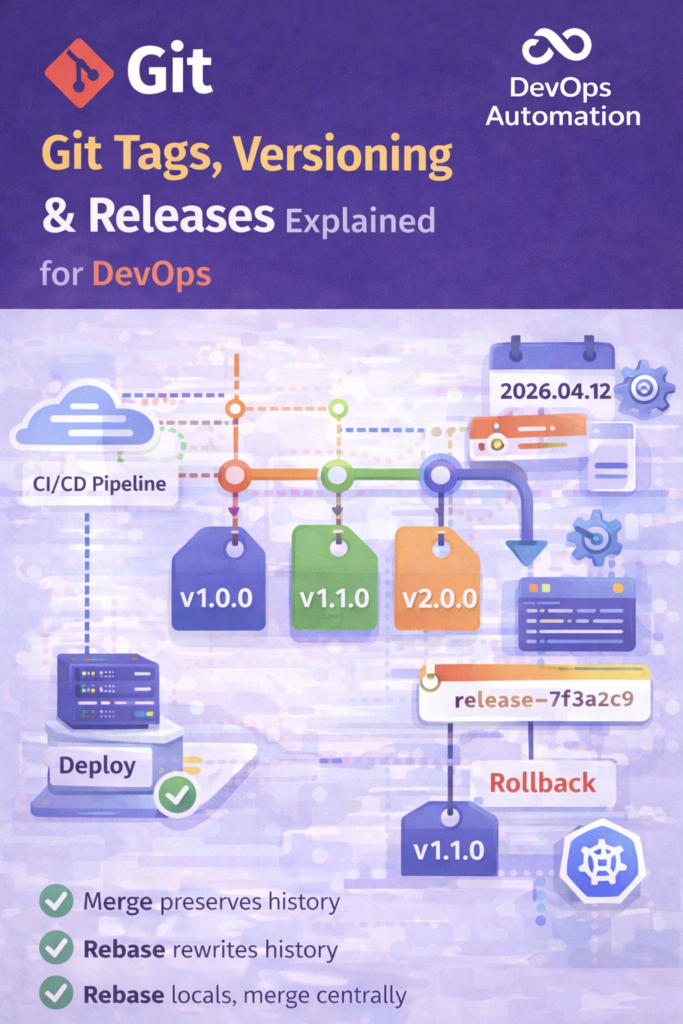
Git Tags, Versioning Strategies & Releases for DevOps
Git Tags Versioning and Releases for DevOps are essential practices for managing production-ready software and stable deployments.
In real-world DevOps environments, code is not just pushed—it is versioned, tagged, released, and tracked across environments.
Git Tags, versioning strategies, and releases for DevOps are critical concepts for managing production-ready software.
In real-world DevOps environments, code is not just pushed—it is versioned, tagged, released, and tracked.
Without proper tagging and versioning, teams face:
- Confusing deployments
- Broken rollbacks
- Unclear release history
- Risky production changes
This guide explains Git tags, versioning strategies, and release workflows exactly how they are used in real DevOps teams and interviews.

What Are Git Tags?
Git tags are references that point to a specific commit in the repository.
They are commonly used to mark:
- Releases
- Stable versions
- Production deployments
Unlike branches, tags do not move.
Why Git Tags Matter in DevOps
In DevOps, Git tags help you:
- Identify production-ready code
- Roll back safely
- Track what version is deployed
- Automate CI/CD pipelines
? Production deployments should always use tags, not branches.
Types of Git Tags
1?? Lightweight Tags
Simple pointer to a commit.
git tag v1.0
- No metadata
- Rarely used in production
2?? Annotated Tags (Recommended)
git tag -a v1.0.0 -m "Production release v1.0.0"
Includes:
- Tagger name
- Date
- Message
- Checksum
? DevOps best practice: Always use annotated tags for releases
How Git Tags Fit into CI/CD Pipelines
In DevOps pipelines:
- Code is merged into
main - A tag is created
- Pipeline triggers deployment using that tag
Example:
git push origin v1.2.0
CI/CD tools like Jenkins, GitHub Actions, GitLab CI often use:
- Tag-based triggers
- Environment-based deployments
Semantic Versioning (SemVer) Explained
The most common versioning strategy in DevOps is Semantic Versioning.
Format:
MAJOR.MINOR.PATCH
Example:
v2.3.1
Meaning:
- MAJOR ? Breaking changes
- MINOR ? New features (backward compatible)
- PATCH ? Bug fixes
Examples:
v1.0.0? Initial production releasev1.1.0? New feature addedv1.1.1? Bug fix
? Interview Tip:
“We follow semantic versioning to clearly communicate the impact of changes.”
Common Versioning Strategies in DevOps
? Semantic Versioning (Most Used)
- Industry standard
- CI/CD friendly
- Clear rollback path
? Date-Based Versioning
Example:
2025.09.15
Used when:
- Frequent releases
- Internal tools
- SaaS platforms
? Commit Hash Versioning
Example:
release-7f3a2c9
Used for:
- Debugging
- Traceability
- Microservices
Git Releases vs Git Tags
Git Tags
- Git-level object
- Used by pipelines
- Lightweight or annotated
Git Releases (GitHub/GitLab)
- UI feature
- Built on top of tags
- Includes:
- Release notes
- Assets
- Changelogs
? DevOps Flow:
Commit ? Merge ? Tag ? Release ? Deploy
Release Workflow in DevOps (Real World)
A typical DevOps release flow:
- Feature branches merged into
main - CI tests pass
- Version is bumped
- Tag is created (
v1.4.0) - Release is published
- Deployment triggered
- Monitoring starts
This ensures:
- Traceability
- Stability
- Easy rollback
Rollback Strategy Using Git Tags
If production breaks:
git checkout v1.3.2
Deploy the last stable tag.
? Why tags matter:
You rollback to known-good state, not “whatever was last merged”.
Git Tags & GitOps Practices
In GitOps, Git is the single source of truth.
- Infrastructure is versioned
- Releases are tagged
- Environments sync from Git
Git tags ensure:
- Controlled releases
- Auditable deployments
- Declarative infrastructure
Why Git Tags Versioning and Releases for DevOps Matter
Git Tags Versioning and Releases for DevOps help teams identify stable builds in production.
Using Git Tags Versioning and Releases for DevOps improves rollback and traceability.
This guide on Git Tags Versioning and Releases for DevOps explains real production workflows.
DevOps engineers rely on Git Tags Versioning and Releases for DevOps for CI/CD pipelines.
Proper Git Tags Versioning and Releases for DevOps prevent deployment confusion.
Common Interview Questions
? Why use Git tags instead of branches for releases?
? Tags are immutable and represent a fixed state.
? How do you version production releases?
? Using semantic versioning with annotated tags.
? How do you roll back production?
? Redeploy the previous stable Git tag.
? What triggers your production pipeline?
? Git tag push.
Common Beginner Mistakes
? Deploying directly from main
? No versioning strategy
? Overwriting tags
? Manual production deployments
How This Fits Into the DevOps Roadmap
This skill connects:
- Git fundamentals
- CI/CD automation
- Production stability
- Incident management
After this, you are production-ready with Git.
Final Takeaway
If you want to work as a DevOps engineer:
- Learn Git tags deeply
- Follow semantic versioning
- Deploy from tags
- Automate releases
Git tags, versioning strategies, and releases are non-negotiable DevOps skills.
? Internal & External Links
Internal Links
External (DOFOLLOW)
