Git Cherry-Pick Explained with Real DevOps Scenarios (Production Guide)
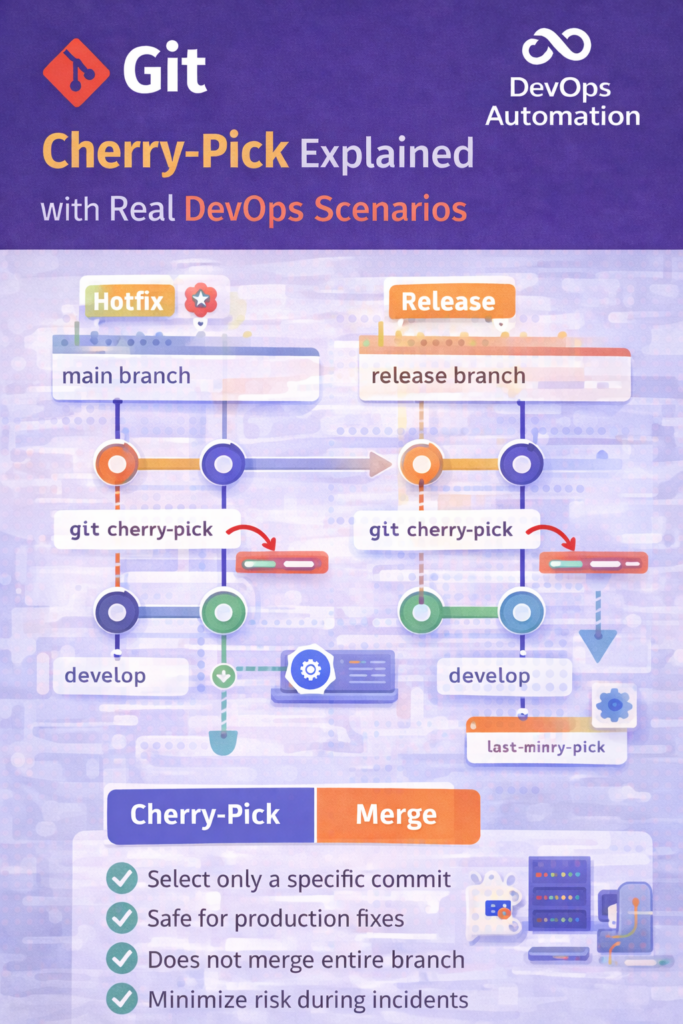
Git cherry-pick for DevOps is a critical skill when you need to apply a specific commit without merging an entire branch.
Git Cherry-Pick is one of the most misunderstood yet powerful Git commands in real DevOps workflows.
Many beginners either avoid cherry-pick completely or use it incorrectly, causing broken releases and messy histories.
In production DevOps environments, however, Git cherry-pick is used deliberately and carefully to fix urgent issues, manage releases, and stabilize branches.
This guide explains Git cherry-pick with real DevOps scenarios, so you know when to use it, when not to use it, and how to explain it confidently in interviews.

What Is Git Cherry-Pick?
Git cherry-pick allows you to apply a specific commit from one branch onto another branch.
Instead of merging an entire branch, cherry-pick lets you select only the exact commit you need.
Simple definition:
Git cherry-pick copies a single commit from one branch and applies it to another branch.
This is extremely useful in production support and release management.
Why Git Cherry-Pick Matters in DevOps
In DevOps, you often deal with:
- Hotfixes
- Production bugs
- Release branches
- Parallel development
You cannot always merge entire branches, especially during incidents.
Git cherry-pick helps DevOps engineers:
- Apply critical fixes quickly
- Avoid introducing unfinished features
- Maintain release stability
Basic Git Cherry-Pick Syntax
git cherry-pick <commit-hash>
Example:
git cherry-pick a1b2c3d
This command applies the commit a1b2c3d to your current branch.
Git Cherry-Pick for DevOps: Real-World Scenarios
Git Cherry-Pick for DevOps Explained Scenarios is a common interview and production topic for DevOps engineers.
Real DevOps Scenario 1: Hotfix in Production
Situation
mainbranch ? running in productiondevelopbranch ? active feature development- A critical bug fix exists in
develop - You cannot merge
developintomain(too risky)
Solution
Use git cherry-pick.
git checkout main
git cherry-pick <bug-fix-commit>
Why cherry-pick?
- Only the bug fix goes to production
- No unfinished features are deployed
- Minimal risk during incident response
? This is one of the most common real-world DevOps uses of cherry-pick
Real DevOps Scenario 2: Release Branch Stabilization
Situation
- You have a
release/1.2branch - A last-minute bug is fixed in
develop - Release is scheduled today
Solution
Cherry-pick the fix into the release branch:
git checkout release/1.2
git cherry-pick <fix-commit>
Result
- Release stays clean
- Timeline is not affected
- Only required changes are included
Git Cherry-Pick vs Git Merge (Quick Comparison)
| Aspect | Cherry-Pick | Merge |
|---|---|---|
| Scope | Single commit | Entire branch |
| Risk | Low (if used correctly) | Higher |
| Use case | Hotfixes, releases | Feature integration |
| History | Creates new commit | Preserves branch history |
? DevOps Rule of Thumb
- Use merge for planned development
- Use cherry-pick for controlled fixes
Handling Conflicts During Cherry-Pick
Sometimes cherry-pick causes conflicts.
Conflict resolution flow:
git cherry-pick <commit-hash>
# Fix conflicts manually
git add .
git cherry-pick --continue
If something goes wrong:
git cherry-pick --abort
DevOps engineers must stay calm during conflicts, especially during production incidents.
Common Mistakes When Using Git Cherry-Pick in DevOps
? Cherry-picking large commits
? Ignoring conflicts during cherry-pick
? Using cherry-pick instead of proper merges
? Forgetting to document cherry-picked commits
? Cherry-pick is a surgical tool, not a shortcut
Git Cherry-Pick in CI/CD Pipelines
In mature DevOps teams:
- Cherry-pick triggers CI pipelines
- Tests validate the fix
- Deployment happens safely
Cherry-pick + CI/CD = controlled production change
Git Cherry-Pick Interview Questions (Very Common)
Q: When would you use git cherry-pick?
? When I need to apply a specific fix to another branch without merging all changes.
Q: Is cherry-pick safe in production?
? Yes, if used for targeted fixes and validated through CI/CD.
Q: Cherry-pick vs merge – which is better?
? Neither is better. Each serves a different purpose.
When NOT to Use Git Cherry-Pick
Avoid cherry-pick when:
- Syncing long-running branches
- Integrating full features
- Rewriting history unnecessarily
Overusing cherry-pick leads to duplicate commits and confusion.
How This Fits into the DevOps Roadmap
Git cherry-pick connects:
- Git fundamentals
- CI/CD reliability
- Production support
- Release engineering
This skill is especially important in:
- Phase 3 – Git Version Control
- Phase 4 – CI/CD Automation
- Phase 8 – Production Support
Final Takeaway
Git cherry-pick is not dangerous, but misuse is.
A good DevOps engineer:
- Knows when to cherry-pick
- Understands why it’s needed
- Applies it calmly during production pressure
Mastering Git cherry-pick instantly raises your production confidence and interview credibility.
? Internal & External Links
Internal Links
External (DOFOLLOW)
