
Phase 4 – CI/CD Automation Explained: Complete Practical Guide for DevOps
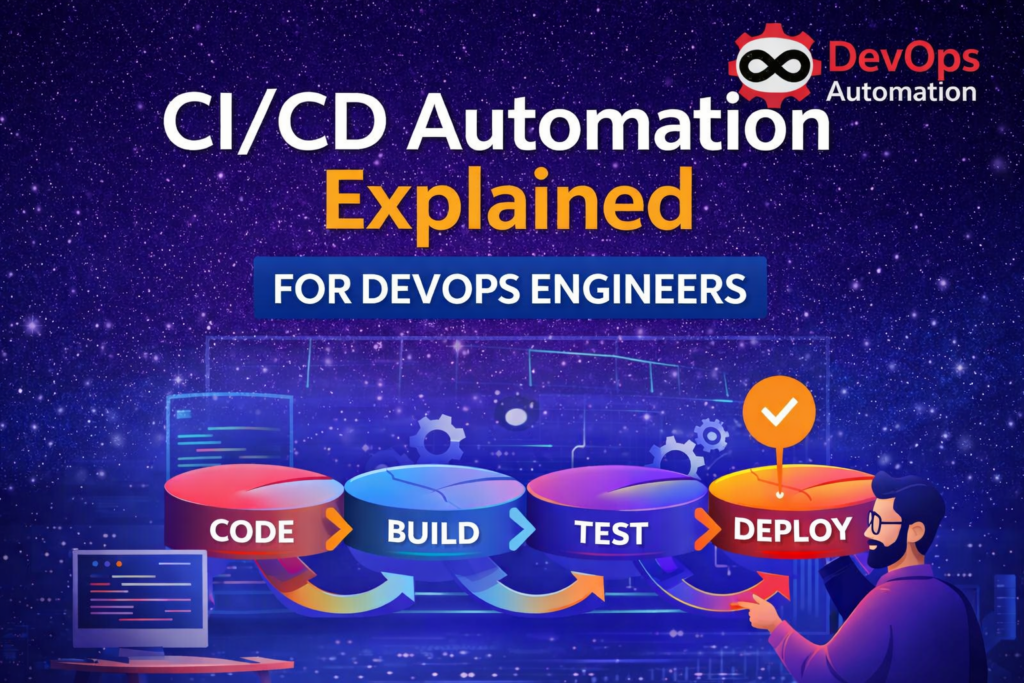
CI/CD Automation Explained is one of the most important concepts every DevOps engineer must understand deeply. This is the stage where DevOps moves from theory into real, working automation that teams rely on every day in production.
In simple terms, CI/CD helps teams build, test, and deploy software automatically instead of doing everything manually. When done correctly, CI/CD removes human errors, increases delivery speed, improves code quality, and gives teams confidence to release changes frequently.
In modern DevOps environments, almost every deployment, infrastructure change, and application release flows through a CI/CD pipeline. If you understand CI/CD well, you already have a strong foundation for working in real DevOps roles.

? What CI/CD Enables DevOps Teams to Do
CI/CD automation allows teams to:
- Build code automatically whenever developers push changes
- Run tests continuously to catch bugs early
- Package applications consistently
- Deploy applications reliably across environments
- Reduce manual intervention and human mistakes
- Deliver software faster and more frequently
- Improve collaboration between developers and operations teams
In real DevOps jobs, CI/CD pipelines act like the nervous system of the organization. Every change passes through automation before reaching users.
? What Is CI/CD?
CI/CD is a combination of two practices: Continuous Integration (CI) and Continuous Delivery / Continuous Deployment (CD).
? Continuous Integration (CI)
Continuous Integration means that developers regularly merge their code changes into a shared repository such as GitHub or GitLab. Every time code is pushed:
- Automated builds run
- Automated tests execute
- Code quality checks are performed
- Errors are detected early
Instead of discovering problems at the end of a project, CI finds issues immediately. This reduces integration pain and avoids large last-minute surprises.
Example:
A developer pushes code to Git. The CI pipeline automatically compiles the application and runs unit tests. If something fails, the developer receives feedback within minutes.
? Continuous Delivery (CD)
Continuous Delivery ensures that code is always in a deployable state. After CI passes:
- Artifacts are created
- Deployments can happen at any time
- Releases are predictable and repeatable
- Manual approval may exist before production
This allows businesses to release features when they choose, not when the system allows.
? Continuous Deployment
Continuous Deployment goes one step further. Every successful change is automatically deployed to production without human approval. This is common in high-maturity organizations with strong testing and monitoring.
? Together, CI and CD form CI/CD automation, which enables fast and reliable software delivery.
? Why CI/CD Automation Is Critical in DevOps
Without CI/CD automation:
- Deployments are manual and slow
- Errors happen frequently
- Rollbacks are painful
- Releases become risky events
- Teams hesitate to deploy changes
With CI/CD automation:
- Code quality improves automatically
- Deployments happen consistently
- Failures are detected early
- Rollbacks become fast and safe
- Teams gain confidence in releases
- Productivity increases
CI/CD automation allows organizations to scale their engineering teams without increasing chaos.
? CI/CD Automation Explained with a Simple Flow
A typical CI/CD pipeline works like this:
- Developer pushes code to Git
- CI pipeline triggers automatically
- Code is built and validated
- Tests execute automatically
- Artifacts are generated
- Deployment pipeline runs
- Application is deployed
- Monitoring validates success
This entire workflow happens without manual intervention.
? Core CI/CD Pipeline Stages Explained
? Source Stage
- Code is stored in Git repositories
- Webhooks trigger pipelines automatically
- Branches control environments
? Build Stage
- Application is compiled or packaged
- Docker images may be built
- Dependencies are downloaded
? Test Stage
- Unit tests validate logic
- Integration tests validate services
- Security scans identify vulnerabilities
- Linting ensures code quality
? Deploy Stage
- Applications are deployed to staging or production
- Infrastructure automation runs
- Rollbacks are prepared
Each stage adds confidence before production release.
How CI/CD Automation Works in Real DevOps Teams
In real companies, CI/CD Automation Explained is not just about running a few scripts. It becomes the backbone of how software is delivered safely and repeatedly.
A typical real-world DevOps workflow looks like this:
A developer creates a feature branch from the main repository and starts working on new code. Once the changes are ready, the developer pushes the code to Git and opens a pull request. This action automatically triggers the CI pipeline.
The CI pipeline runs multiple automated checks:
- Code compilation and build validation
- Unit tests and integration tests
- Security scans and dependency checks
- Code quality validation
If any step fails, the pipeline stops immediately and notifies the developer. This prevents broken code from reaching production.
Once the pull request passes all validations and is approved by reviewers, it gets merged into the main branch. This merge event triggers the CD pipeline.
The CD pipeline handles:
- Packaging the application
- Creating container images
- Deploying to staging environments
- Running smoke tests
- Promoting the release to production
In mature DevOps teams, rollback strategies are also automated. If a deployment causes issues, the pipeline can quickly revert to the previous stable version.
This real-world flow shows why CI/CD Automation Explained is essential for delivering software confidently at scale.
CI vs CD vs Continuous Deployment (Clear Comparison)
Many beginners confuse Continuous Integration, Continuous Delivery, and Continuous Deployment. Understanding the difference is important when learning CI/CD Automation Explained.
? Continuous Integration (CI)
CI focuses on integrating code frequently. Every time a developer pushes code:
- Automated builds run
- Tests execute automatically
- Issues are detected early
CI ensures that the codebase always stays healthy and stable.
? Continuous Delivery (CD)
Continuous Delivery ensures that the application is always ready for deployment. Even if deployment is manual, the pipeline guarantees that the release can happen safely at any time.
CD focuses on:
- Repeatable deployment processes
- Consistent environments
- Release reliability
? Continuous Deployment
Continuous Deployment goes one step further. Every successful pipeline automatically deploys to production without manual approval.
This approach works best when:
- Testing coverage is strong
- Monitoring is reliable
- Rollback automation exists
Not all companies use continuous deployment, but many use CI and CD together.
Understanding this difference helps you apply CI/CD Automation Explained correctly in real projects.
Example CI/CD Pipeline (Simple Human Explanation)
Let’s walk through a simple pipeline example to make CI/CD Automation Explained more practical.
Imagine you are deploying a web application.
- You push your code to GitHub.
- GitHub Actions triggers the CI workflow automatically.
- The pipeline installs dependencies.
- Unit tests run to validate functionality.
- Security checks scan dependencies.
- If all checks pass, a Docker image is built.
- The image is pushed to a container registry.
- Jenkins or a deployment pipeline deploys the image to a staging server.
- Smoke tests validate the deployment.
- Production deployment happens after approval.
This automation eliminates manual deployment mistakes and ensures consistent quality.
This example shows how CI/CD Automation Explained turns repetitive work into reliable automation.
Scaling CI/CD Pipelines in Growing Organizations
As teams grow, pipelines become more complex. CI/CD Automation Explained must scale with the organization.
Common scaling practices include:
- Parallel execution of tests to reduce build time
- Separate pipelines for microservices
- Caching dependencies to speed up builds
- Environment-specific pipelines (dev, staging, production)
- Artifact repositories for version control
- Blue-green or canary deployments
Large companies also integrate CI/CD with:
- Cloud infrastructure provisioning
- Kubernetes cluster management
- Monitoring dashboards