How a CI/CD Pipeline Works – Step-by-Step Workflow Explained
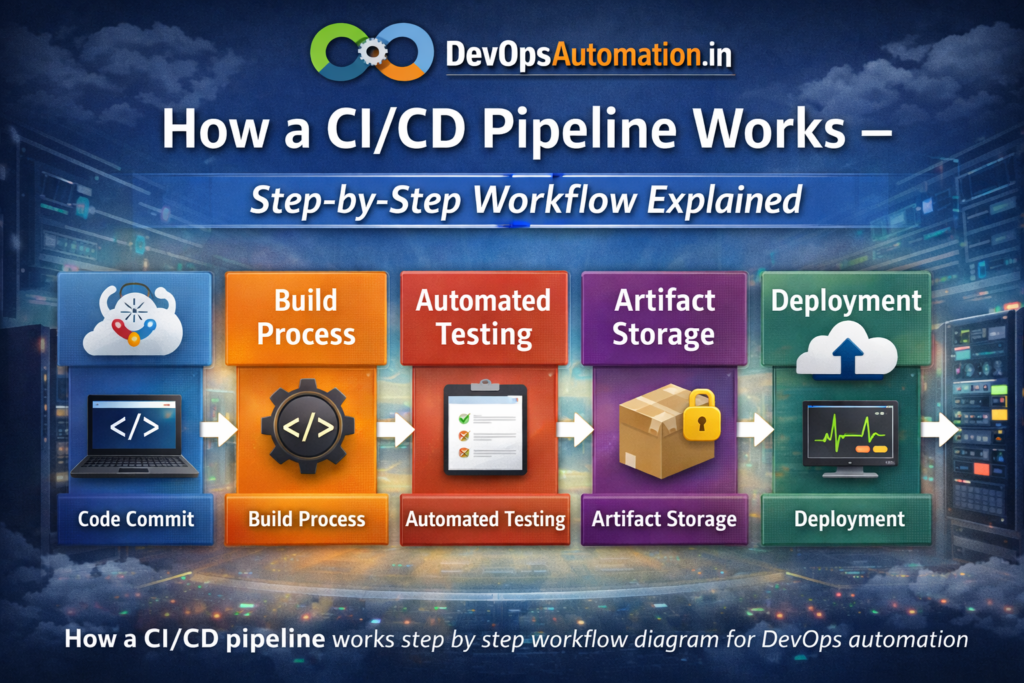
Understanding how a CI/CD pipeline works is essential for anyone entering DevOps. A CI/CD pipeline automates code integration, testing, and deployment so teams can release software faster, safer, and more consistently.
Understanding how a CI/CD pipeline works helps DevOps engineers automate software delivery efficiently while reducing deployment risks.
In this guide, you’ll learn:
- Each stage of a CI/CD pipeline
- Real-world workflow example
- Popular tools used in pipelines
- Best practices for beginners
Let’s walk through the full pipeline.

? Step 1: Code Commit – How a CI/CD Pipeline Works
The pipeline begins when a developer pushes code to a Git repository.
Actions triggered:
- Code is versioned
- Commit history is tracked
- Collaboration becomes easier
? Learn Git basics here: Git basics for DevOps beginners.
?? Step 2: Build Process
Once code is committed, the CI tool automatically builds the application.
Examples:
- Compiling source code
- Creating binaries or artifacts
- Building Docker images
Build automation eliminates manual errors.
? Step 3: Automated Testing
Automated tests validate the code.
Types of tests:
- Unit tests
- Integration tests
- Security scans
Only successful builds move forward.
? Step 4: Artifact Storage
Validated build artifacts are stored in repositories like Nexus or Artifactory.
This ensures:
- Version consistency
- Easy rollback
- Audit tracking
? Step 5: Deployment
The application is deployed automatically to staging or production.
Deployment targets:
- Linux servers
- Cloud platforms
- Kubernetes clusters
? Linux skills matter here: Linux fundamentals for DevOps engineers.
? Step 6: Monitoring & Feedback
After deployment:
- Performance is monitored
- Logs are analyzed
- Alerts trigger if issues occur
Feedback improves future deployments.
?? Real-World Example Showing How a CI/CD Pipeline Works
Scenario: A web application update
- Developer pushes code
- Jenkins triggers build
- Tests execute
- Docker image created
- Deployed to staging
- Approved ? Production
- Monitoring enabled
This entire process may take minutes instead of hours.
? Popular CI/CD Tools
- Jenkins
- GitHub Actions
- GitLab CI
- CircleCI
- Azure DevOps
? Learn CI/CD fundamentals here: What is CI/CD Pipeline? Beginner’s Guide
? Security and Quality in CI/CD Pipelines
Security scanning, dependency checks, and automated code reviews play a critical role in modern CI/CD pipelines. Tools like vulnerability scanners help prevent insecure code from reaching production. When teams understand how a CI/CD pipeline works with integrated security checks, they reduce risks and improve software quality. Implementing DevSecOps practices ensures compliance, stability, and long-term reliability.
? Best Practices for Beginners
- Start with small pipelines
- Automate tests early
- Use version control properly
- Monitor deployments
- Secure credentials
When teams clearly understand how a CI/CD pipeline works, they can optimize build speed, testing reliability, and deployment consistency.
? FAQs
How does a CI/CD pipeline work in simple terms?
Code changes trigger automated build, testing, and deployment.
Is Jenkins enough to build CI/CD pipelines?
Yes, Jenkins can manage complete CI/CD workflows.
Do CI/CD pipelines require cloud platforms?
No, pipelines can run on on-premise servers as well.
Can beginners build CI/CD pipelines?
Yes, with Linux and Git knowledge.
? Final Thoughts
Mastering how a CI/CD pipeline works is essential for building scalable and reliable DevOps automation systems.
Practice building pipelines regularly.
? Internal Links (Add)
Link to:
1?? CI/CD Article
Anchor: What is CI/CD Pipeline? Beginner’s Guide
2?? CI vs CD Article
Anchor: CI vs CD vs Continuous Deployment
3?? Git Article
Anchor: Git basics for DevOps beginners
? External Links
