Linux Permissions for DevOps (2026): chmod, chown & umask Explained Simply
? Introduction
Linux Permissions for DevOps are one of the most critical yet misunderstood concepts for beginners.
In real production environments, a single permission mistake can break deployments, cause outages, or create serious security risks.
DevOps engineers work daily with:
- Application files
- Configuration files
- Log directories
- Deployment scripts
- CI/CD runners
Understanding Linux Permissions for DevOps ensures your systems remain secure, stable, and predictable.
This guide explains Linux permissions from basics to real-world DevOps use cases — without unnecessary theory.
? What Are Linux Permissions?
Linux permissions define who can read, write, or execute a file or directory.
Every file has permissions for:
- Owner
- Group
- Others
Permissions types:
- Read (r) – view file contents
- Write (w) – modify file
- Execute (x) – run file as a program
In DevOps, incorrect permissions are one of the top causes of deployment failures.
? Understanding Permission Format
Example:
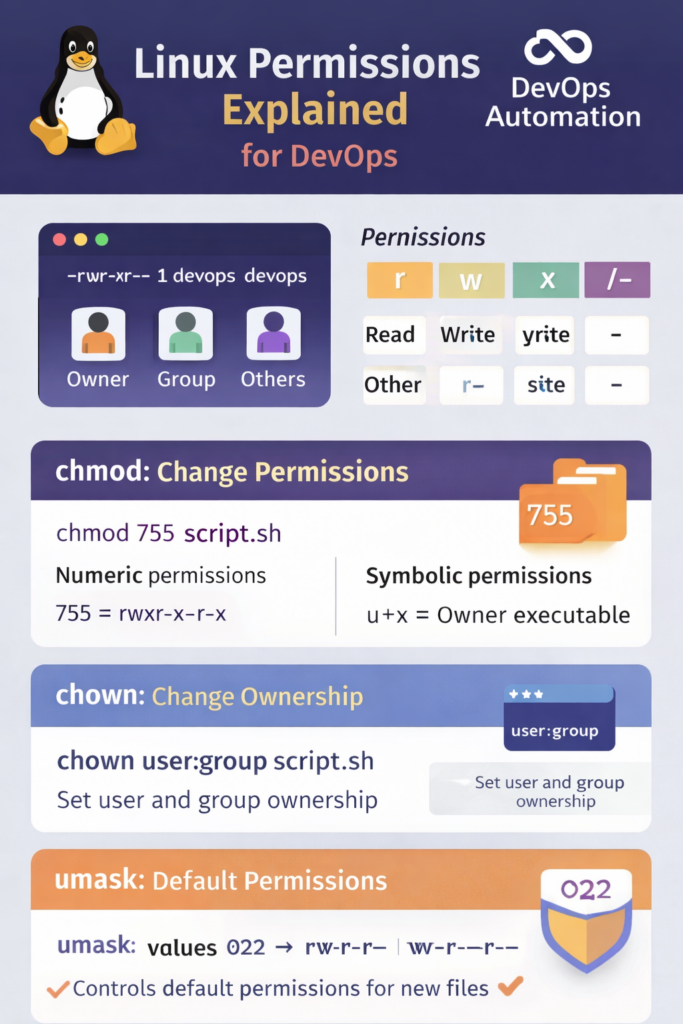
-rwxr-xr--
Breakdown:
rwx? Owner permissionsr-x? Group permissionsr--? Others permissions
This structure is foundational knowledge for Linux Permissions for DevOps.

? chmod – Change File Permissions
The chmod command changes file permissions.
? Numeric Mode (Most Used in DevOps)
chmod 755 app.sh
Meaning:
- Owner ? read, write, execute
- Group ? read, execute
- Others ? read, execute
Common permission values:
755? Executable scripts644? Config files600? Sensitive files (keys, secrets)
? Symbolic Mode
chmod u+x deploy.sh
Adds execute permission for the owner.
? DevOps engineers frequently use chmod in CI/CD pipelines and deployment scripts.
? chown – Change File Ownership
Ownership matters when:
- Applications run as non-root users
- Containers mount volumes
- Services access shared directories
Example:
chown appuser:appgroup config.yaml
This ensures the correct user owns the file.
In Linux Permissions for DevOps, incorrect ownership is a common cause of:
- Permission denied errors
- Application startup failures
- Kubernetes volume issues
? umask – Default Permission Control
umask defines default permissions for newly created files.
Check current umask:
umask
Typical values:
022? Default for most servers027? More secure environments
Why umask matters in DevOps:
- Controls security baseline
- Prevents accidental over-permissioning
- Important in shared environments
? Real Production Scenarios (Very Important)
? Scenario 1: CI/CD Script Fails
Cause: Script not executable
Fix:
chmod +x deploy.sh
? Scenario 2: App Cannot Read Config
Cause: Wrong ownership
Fix:
chown appuser:appgroup config.yaml
? Scenario 3: Security Audit Failure
Cause: World-writable files
Fix:
chmod 640 secrets.env
These real cases show why Linux Permissions for DevOps are not optional knowledge.
? Common Beginner Mistakes
- Running everything as root
- Giving
777permissions - Ignoring ownership
- Not understanding umask
- Fixing issues by “trial and error”
Avoiding these mistakes instantly makes you look more professional in interviews and production.
? Why Interviewers Ask About Linux Permissions
Interviewers use permission questions to test:
- System understanding
- Security awareness
- Production mindset
Typical questions:
- Why is
chmod 777bad? - Difference between chmod and chown?
- How do you fix permission denied errors?
Mastering Linux Permissions for DevOps gives you confidence during interviews.
? Internal & External Links
Internal Links
External Link
Official Linux documentation
