CI vs CD vs Continuous Deployment: Simple Differences Explained
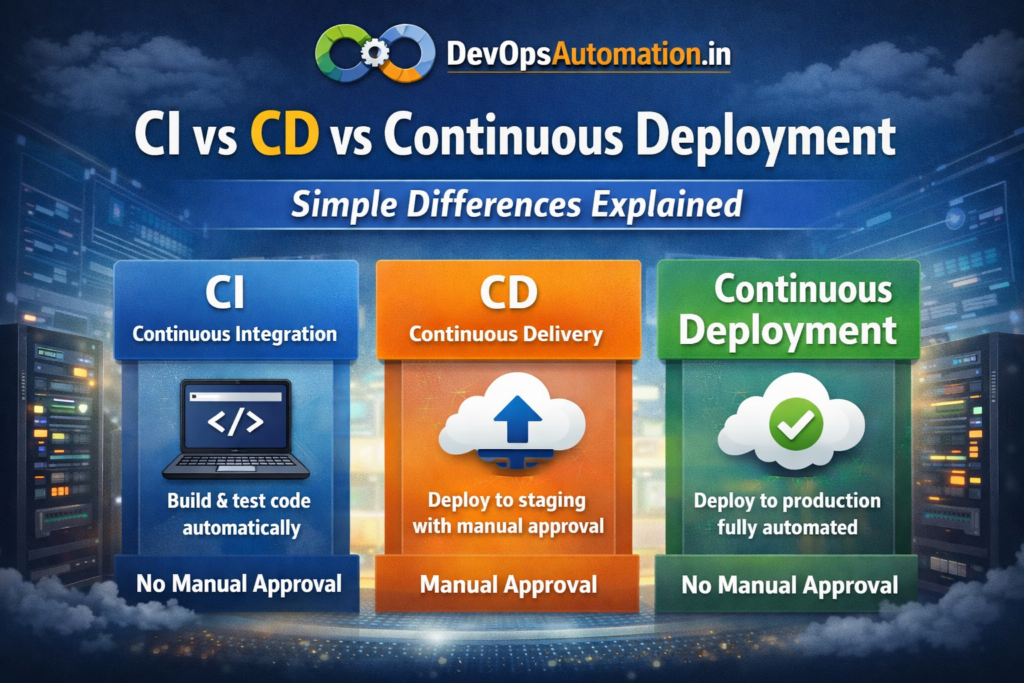
If you’re learning DevOps, one of the most confusing topics for beginners is understanding the difference between CI vs CD vs Continuous Deployment. Many people assume these terms mean the same thing — but they actually represent different stages of automation maturity.
Modern software companies rely on automation to release features faster, reduce bugs, and improve reliability. Whether you are preparing for DevOps interviews, building real projects, or managing production systems, understanding CI/CD concepts clearly is essential.
In this guide, you will learn:
? What Continuous Integration (CI) means
? What Continuous Delivery (CD) means
? What Continuous Deployment means
? Real-world examples for each
? A simple comparison table
? When to use each approach
? Common beginner mistakes
? Career benefits and learning roadmap
Let’s break it down step by step ?

This article explains CI vs CD vs Continuous Deployment using real-world examples, comparisons, and beginner-friendly explanations.
? What is Continuous Integration (CI)?
Continuous Integration (CI) is the practice of frequently integrating code changes into a shared repository and validating them automatically.
Whenever a developer pushes code:
?? The build starts automatically
?? Automated tests run
?? Code quality checks execute
?? Errors are detected early
?? Developers receive fast feedback
The main goal of CI is to catch problems early rather than discovering them during late-stage testing or production deployment.
? Why Continuous Integration is Important
CI improves software quality and developer productivity.
Key benefits:
- Prevents integration conflicts
- Detects bugs quickly
- Encourages small and frequent commits
- Improves collaboration
- Reduces manual testing effort
- Maintains stable codebase
Without CI, teams often face “merge hell” where multiple developers struggle to combine code changes safely.
?? Real Example of CI
Imagine a developer pushes code to GitHub.
- GitHub webhook triggers Jenkins or GitHub Actions
- The application builds automatically
- Unit tests execute
- Linting and security scans run
- Report is generated
If anything fails, the developer fixes the issue immediately.
? If you are new to Git, read: Git basics for DevOps beginners
? What is Continuous Delivery (CD)?
Continuous Delivery (CD) ensures that your application is always in a deployable state after passing automated testing.
Once CI completes successfully:
?? Artifacts are created
?? Deployment to staging happens automatically
?? Manual approval may trigger production release
?? Rollback options are prepared
Continuous Delivery allows businesses to release safely whenever they choose.
? Why Continuous Delivery is Important
Benefits include:
- Faster release cycles
- Predictable deployments
- Reduced release stress
- Better quality assurance
- Controlled production releases
Many regulated industries prefer CD because production deployment still requires human approval.
?? Real Example of CD
A fintech company builds a mobile banking app.
- Code is integrated using CI
- Application deploys automatically to staging
- QA team validates functionality
- Business approves production release
- Pipeline deploys to production
This maintains both automation and governance.
? What is Continuous Deployment?
Continuous Deployment takes automation one step further. Every successful code change is automatically deployed to production without manual approval.
If all tests pass:
?? Application is deployed instantly
?? Monitoring validates health
?? Rollback happens automatically if issues occur
This approach requires mature testing, monitoring, and observability.
? Why Companies Use Continuous Deployment
Advantages:
- Fastest time to market
- Immediate customer feedback
- Rapid innovation
- Minimal manual effort
- Highly scalable automation
However, poor test coverage can make this risky.
?? Real Example of Continuous Deployment
A SaaS company deploys features multiple times daily.
- Developer commits code
- Pipeline builds and tests
- Security scan passes
- Production deployment happens automatically
- Monitoring validates system health
If error rate increases, automated rollback triggers.
? CI vs CD vs Continuous Deployment – Comparison Table
| Feature | CI | CD | Continuous Deployment |
|---|---|---|---|
| Automation Scope | Build & Test | Build, Test, Stage | Full Production Automation |
| Manual Approval | Not required | Required for prod | Not required |
| Risk Level | Low | Medium | Higher |
| Release Speed | Moderate | Fast | Fastest |
| Complexity | Low | Medium | High |
| Monitoring Required | Basic | Medium | Advanced |
| Suitable For | Beginners | Enterprises | Mature DevOps |
? Key Differences Explained Simply
- CI focuses on code integration and validation
- CD focuses on delivery readiness
- Continuous Deployment focuses on full automation
Think of CI as building and testing, CD as preparing for release, and Continuous Deployment as fully automated publishing.
? Popular Tools Supporting CI/CD
Popular tools include:
- Jenkins
- GitHub Actions
- GitLab CI/CD
- CircleCI
- Azure DevOps
- Bitbucket Pipelines
- Argo CD
- Tekton
? Learn more: What is CI/CD Pipeline? Beginner’s Guide
? CI/CD in Enterprise vs Startup Environments
Enterprise Organizations
- Compliance requirements
- Manual approvals
- Security audits
- Multiple environments
- Long validation cycles
Startups
- Faster experimentation
- Rapid deployments
- Cloud-native tools
- Lightweight pipelines
Both benefit from automation but operate differently.
? Security in CI/CD (DevSecOps Perspective)
Security must be integrated into pipelines.
Best practices:
- Dependency vulnerability scanning
- Secrets management
- Access control
- Container image scanning
- Audit logging
- Infrastructure security testing
This approach is called DevSecOps.
? Which One Should You Learn First?
Beginner roadmap:
1?? Start with CI fundamentals
2?? Learn pipeline scripting
3?? Add automated testing
4?? Implement CD pipelines
5?? Learn deployment strategies
6?? Explore Continuous Deployment
? Linux skills help: Linux fundamentals for DevOps engineers
? Common Mistakes Beginners Make with CI/CD
Avoid these pitfalls:
? Skipping tests
? Hardcoding secrets
? No rollback strategy
? Overcomplicated pipelines
? Ignoring monitoring
? Deploying too frequently without quality checks
Start small and mature gradually.
?? CI/CD Pipeline Architecture Explained for Beginners
Understanding CI vs CD vs Continuous Deployment also requires knowing how a typical CI/CD pipeline is architected behind the scenes. Most pipelines follow a layered architecture where each layer performs a specific responsibility.
? Source Control Layer
This layer hosts your application code and configuration files.
Popular platforms include:
- GitHub
- GitLab
- Bitbucket
Every code commit triggers the pipeline automatically using webhooks. Branching strategies like feature branches, pull requests, and protected branches ensure code quality and review processes remain strong.<
