Git Branching & Merging for DevOps (Production-Ready Guide)
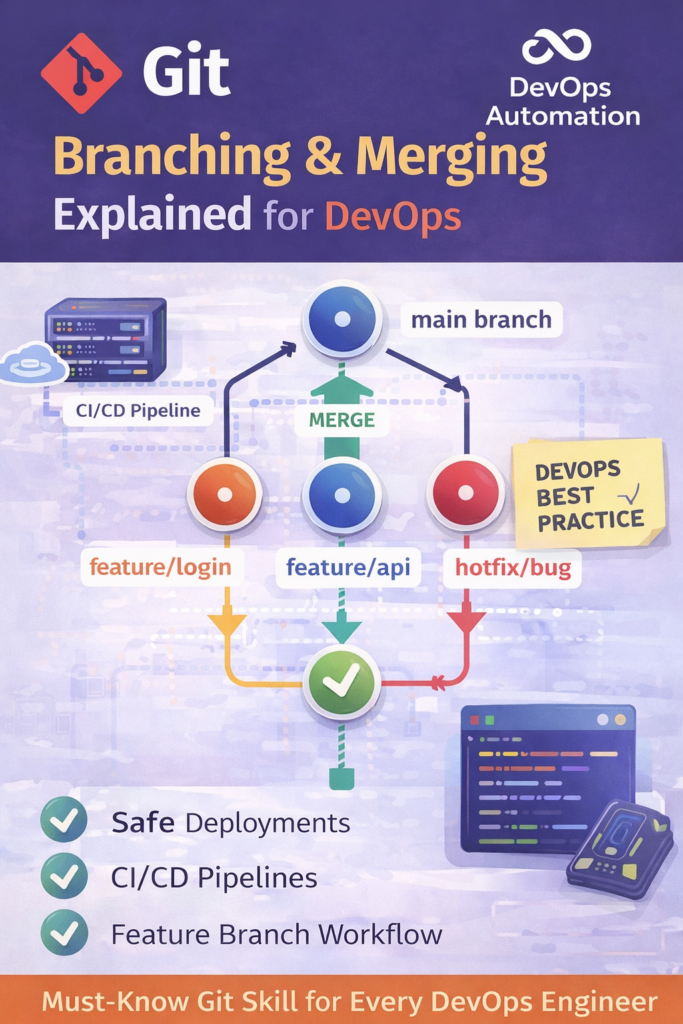
Git Branching & Merging for DevOps is the natural next step after Git basics, and it’s one of the most important Git skills for DevOps engineers.
Git Branching & Merging for DevOps is a core skill required to manage code changes in production environments.
In modern CI/CD pipelines, Git Branching & Merging for DevOps helps teams collaborate without breaking releases.
This guide explains Git Branching & Merging for DevOps using real production scenarios.
Understanding Git Branching & Merging for DevOps improves deployment stability and team velocity.
DevOps engineers rely on Git Branching & Merging for DevOps to handle feature development and hotfixes.

? Why Git Branching & Merging Is Critical for DevOps
In real DevOps environments:
- Multiple developers work in parallel
- CI/CD pipelines rely on branches
- Production deployments must be safe and reversible
Git branching & merging for DevOps enables teams to:
- Develop features independently
- Fix bugs without breaking production
- Release code safely using CI/CD pipelines
Without proper branching strategies, teams face:
- Broken builds
- Merge conflicts
- Accidental production issues
? What Is Git Branching?
Git branching allows you to create independent lines of development from the same codebase.
Each branch:
- Has its own commit history
- Can be tested independently
- Can be merged back safely
In DevOps, branches represent:
- Features
- Bug fixes
- Releases
- Hotfixes
? Common Git Branches Used in DevOps
? main / master
- Production-ready code only
- Direct commits are usually restricted
? develop
- Integration branch for upcoming releases
- CI pipelines run here
? feature/*
- Used for new features
- Example:
feature/login-api
? hotfix/*
- Used for urgent production fixes
? Essential Git Branching Commands for DevOps
# List branches
git branch

# Create a new branch
git branch feature-api

# Switch branch
git checkout feature-api

# Create and switch
git checkout -b feature-api
These commands are used daily in real DevOps workflows.
? What Is Git Merging?
Git merging combines changes from one branch into another.
Example:
- Merge
feature/apiintodevelop - Later merge
developintomain
git checkout develop
git merge feature-api
? Merge vs Rebase (DevOps Perspective)
| Merge | Rebase |
|---|---|
| Preserves history | Rewrites history |
| Safer for teams | Risky if misused |
| Preferred in production | Used carefully |
? DevOps rule:
Use merge in shared branches, rebase only in personal branches.
? Git Branching Strategy Used in CI/CD
Most DevOps teams follow one of these:
? GitFlow
main,develop,feature,release,hotfix- Structured but complex
? Trunk-Based Development
- Small frequent commits to main
- Heavy CI/CD automation
? Feature Branch Workflow (Most Common)
- Feature ? PR ? Review ? Merge
- Best balance for DevOps teams
? Real Production Scenario
A DevOps engineer:
- Creates a feature branch
- Pushes code
- CI pipeline runs tests
- PR is reviewed
- Branch is merged safely
If something fails:
- Rollback is easy
- Production stays stable
This is why Git branching & merging for DevOps is non-negotiable.
? Common Mistakes Beginners Make
? Merging directly to main without reviews
? Long-lived feature branches
? Skipping pull before merge
? Rebasing shared branches
? Ignoring conflict resolution
? Poor branch naming conventions
Avoiding these makes you production-ready, not just Git-aware.
? How This Fits into the DevOps Roadmap
This skill connects directly to:
- CI/CD pipelines
- Release management
- Production support
- Incident recovery
? Git branching mastery = DevOps maturity
? What You’ll Learn Next (Git Skill Path)
?? Next Git Skill:
Pull Requests, Code Reviews & GitOps Practices
This is where Git meets:
- Team collaboration
- CI/CD approvals
- Production safety
? Internal Links
? External Links
