
Phase 2: Linux & Networking Basics for DevOps (2026 Guide)
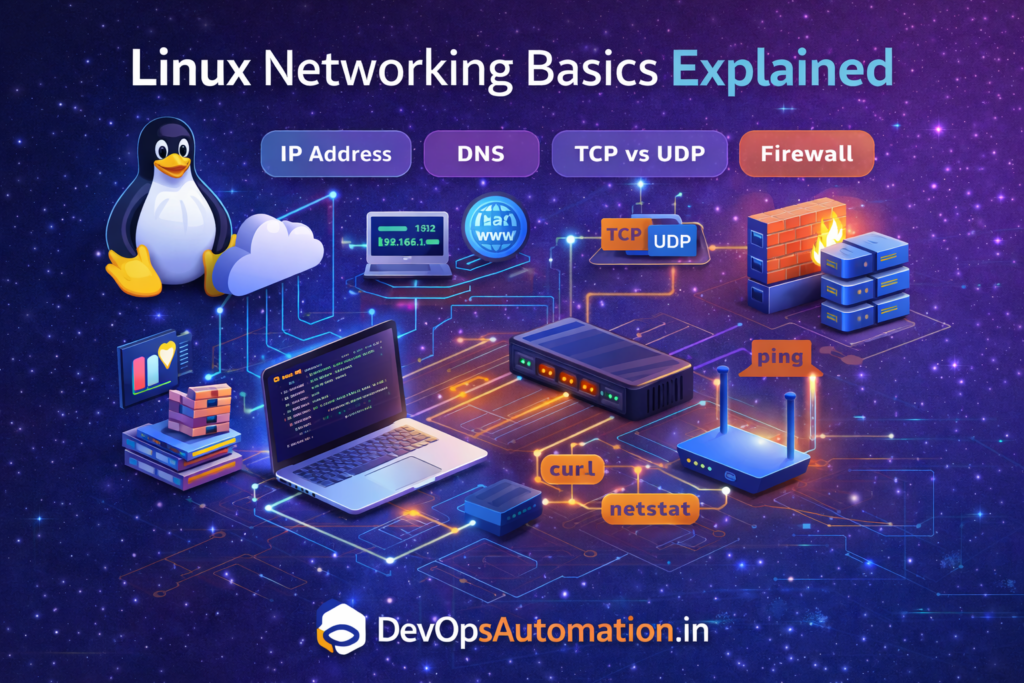
? Linux & Networking Basics for DevOps
Linux & Networking Basics for DevOps is a critical phase in the DevOps roadmap. Almost all DevOps tools, cloud platforms, containers, and CI/CD systems run on Linux servers and networks.
Before working with automation, Kubernetes, or cloud infrastructure, you must understand how Linux systems work and how networking connects services together.
In real production environments, issues rarely come with clear error messages. Many times, you will need to analyze logs, check system resources, verify network connectivity, and trace problems step by step. Strong Linux and networking fundamentals help you solve problems faster and with confidence.
If you are serious about becoming a job-ready engineer, mastering Linux & Networking Basics for DevOps will give you a strong foundation for automation, cloud infrastructure, containers, and production troubleshooting.

Why Linux Is Important for DevOps
Many beginners underestimate how much daily work depends on Linux & Networking Basics for DevOps — from checking logs and managing processes to validating ports, firewalls, and service connectivity in production systems.
Linux is the backbone of DevOps because:
- Most servers run Linux
- Containers use Linux kernels
- Kubernetes nodes are Linux-based
- Cloud infrastructure relies on Linux
- Automation tools are built around Linux environments
? If you know Linux well, DevOps becomes much easier and less intimidating.
Core Linux Concepts for DevOps Engineers
? Linux File System
You should understand the purpose of common directories:
/– Root directory/home– User home directories/etc– Configuration files/var– Logs and variable data/tmp– Temporary files
These directories are frequently used during troubleshooting, deployments, and system audits.
? Essential Linux Commands
Every DevOps engineer must know how to confidently use:
ls,cd,pwdcp,mv,rmcat,less,tailgrep,awk,sedchmod,chown
? These commands are used daily in real jobs.
Practical Linux Skills You Must Practice
In production, you’ll constantly monitor disk space, system load, and services.
df -h
Check disk usage when servers run out of space.
top
Monitor CPU and memory usage.
ss -tulpn
Identify which services are running on which ports.
tail -f /var/log/syslog
Watch logs in real time while troubleshooting.
These commands quickly become muscle memory once you work on live systems.
? Process Management
You should understand:
pstop/htopkillsystemctl
DevOps engineers frequently troubleshoot CPU spikes, memory leaks, stuck processes, and failed services.
Real Practice: Background Processes & Logs
When running scripts or services, you often want them running in the background:
./deploy.sh &
This allows the terminal to remain usable.
To inspect logs for a service:
journalctl -u nginx --since today
This command helps you quickly identify startup errors, crashes, or configuration issues.
Linux Permissions & Users
Linux security is permission-based.
You must understand:
- Read (r), Write (w), Execute (x)
- Users and groups
sudoprivileges- File ownership
? Misconfigured permissions are one of the most common production problems.
Real-World Permission Issues You Will Face
Permission problems are extremely common in production environments.
For example, an application may fail to write logs because the folder ownership is incorrect. When this happens, you may see errors like permission denied in logs.
You can check file permissions using:
ls -l /var/log/myapp
If ownership is incorrect, you can fix it using:
sudo chown -R appuser:appgroup /var/log/myapp
Another common issue happens when scripts fail to execute because execute permission is missing:
chmod +x deploy.sh
Understanding permissions prevents downtime and security risks.
Introduction to Networking for DevOps
Networking connects:
- Servers
- Applications
- Containers
- Cloud services
Every microservice, API call, database connection, and deployment relies on networking working correctly.
Core Networking Concepts
? IP Address
A unique identifier for machines on a network.
? Ports
Used by services to communicate (e.g., 80 for HTTP, 443 for HTTPS, 22 for SSH).
? DNS
Converts domain names into IP addresses.
? TCP vs UDP
- TCP – Reliable and ordered
- UDP – Faster but less reliable
Networking Commands Every DevOps Engineer Uses
You should be comfortable using:
pingcurlwgetnetstatsstraceroute
? These tools help diagnose connectivity problems quickly.
Networking Commands in Real Usage
ping google.com
Tests basic network connectivity.
ss -tuln
Displays open listening ports.
dig devopsautomation.in
Checks DNS resolution.
These commands are essential when applications fail to connect or load.
Understanding Latency and Packet Loss
Not all network problems are simple connection failures. Sometimes the service works but responds slowly or intermittently.
You can measure latency using:
ping -c 10 google.com
High latency or packet loss indicates network congestion or routing issues.
To trace the path traffic takes:
traceroute google.com
This helps identify where delays occur across the network.
In cloud environments, these checks help isolate whether problems are caused by your server, cloud network configuration, or external services.
Linux & Networking in Real DevOps Scenarios
This is where strong Linux & Networking Basics for DevOps skills separate reactive engineers from confident problem solvers who can quickly isolate root causes.
? Example 1 – Fixing a Port Issue
An application is deployed on port 8080 but users cannot access it.
First, check if the service is running:
ss -tulpn | grep 8080
If nothing appears, the service isn’t running.
If it exists but still inaccessible, check firewall rules:
sudo ufw allow 8080
? Example 2 – DNS Troubleshooting
If an application cannot resolve a hostname:
nslookup api.example.com
If no IP is returned, DNS configuration needs correction.
Troubleshooting Connectivity Issues (Layered Approach)
Follow a structured method instead of guessing:
- Check internet connectivity
ping 8.8.8.8
- Check DNS resolution
dig google.com
- Verify open ports
ss -tuln
- Check firewall rules
sudo ufw status
This approach saves time and avoids unnecessary confusion during outages.
Security Basics for DevOps
You should understand:
- SSH access control
- Firewall rules
- Port exposure
- Least privilege principle
? Security always starts at the operating system and network level.
Common Beginner Mistakes
Avoid these:
? Ignoring Linux fundamentals
? Not understanding ports and services
? Running everything as root
? Avoiding log analysis
? Copying commands without understanding
Fixing these habits early makes you production-ready faster.
How Phase 2 Connects to DevOps Tools
Linux and networking knowledge is required for:
- CI/CD pipelines
- Docker containers
- Kubernetes clusters
- Cloud servers